How to Compare Robot Vacuum Brands for a Multi-Room Home
A multi-room home turns robot vacuum shopping into a route-planning exercise. The robot needs to leave its dock, pass through doorways, reach the floors you want cleaned and return without creating more preparation work than you expected. A kitchen threshold, a low sofa or a rug beside a dining table can matter more to that routine than a specification that looks impressive in isolation. Start with the home, then compare the exact models offered by each brand.
This approach also makes brand research more useful. Instead of asking which name is universally best, ask which manufacturer supplies clear evidence for your particular requirements: a suitable model, understandable setup instructions, compatible replacement parts and a practical local support route. Keep a small evidence sheet for each candidate. Record the model and regional version beside every claim, because one brand can sell robots with substantially different dimensions, navigation features, docks and maintenance requirements.
Map the route before comparing specifications
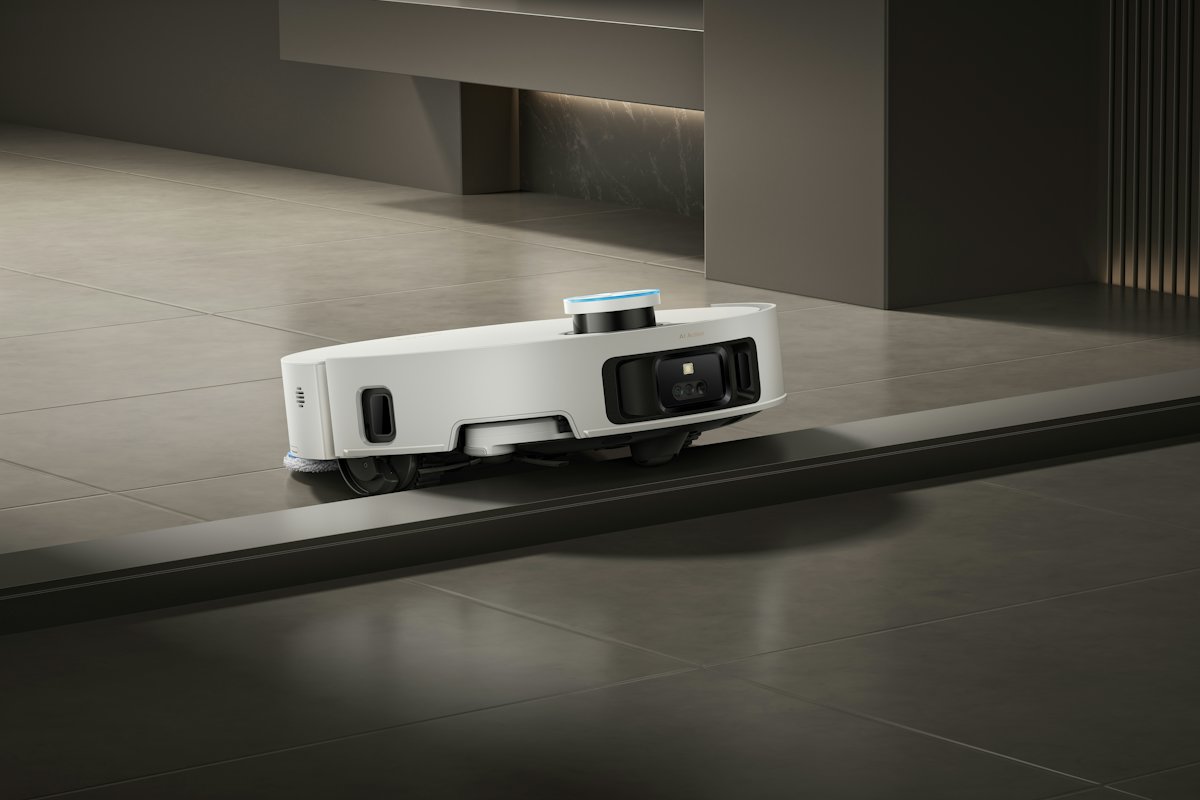
Sketch the rooms that should be cleaned in one session, then mark doorways, changes in floor level and narrow passages. Measure the highest point of each threshold and photograph its shape. A smooth rise, a sharp edge and two closely spaced steps are different obstacles; a single maximum-height claim does not describe all three. Send the measurements to the manufacturer if the documentation does not explain whether its stated capability applies.
Next, measure the lowest usable space beneath the furniture you actually want cleaned. Include the entrance and any lower braces further inside, rather than measuring only a visible front edge. Compare these dimensions with the complete robot and any operating clearance specified in its manual. Treat an unconfirmed fit as an open question. A candidate that cannot reach a priority room is solving a different cleaning task from one that can.
Check rugs, cables and room-by-room controls
List the floor conditions in each room: hard flooring, rug edges, tassels, chair legs, loose cables and objects that regularly move. Read the preparation instructions before relying on obstacle-avoidance language. The eufy X10 Pro Omni manual, for example, calls for removing power cords and small objects, folding rug tassels underneath and observing model-specific rug restrictions. These are instructions for that model, not limits that can be applied to an entire brand.
Decide which controls address your own layout. Selective room cleaning may help when the kitchen needs attention more often than a bedroom; exclusion settings may help separate a delicate rug from a mopping route. Check the exact feature and its restrictions in the manual. The same eufy manual explains that its app exclusion zones divide cleaning areas and are not intended to isolate hazardous areas. Follow the manufacturer’s safety instructions rather than making a virtual line your only safeguard.
| Home condition | Evidence to request | Decision to record |
|---|---|---|
| Raised doorway | Applicable crossing guidance and measured threshold shape | Can the robot reach the next room under the documented conditions? |
| Low furniture | Robot dimensions and operating-clearance instructions | Which priority areas remain accessible? |
| Rugs and loose items | Preparation instructions and surface restrictions | What must be moved before each run? |
| Different room routines | Exact room selection, exclusion and mopping controls | Can the planned schedule match each surface? |
| Multiple floors | Supported mapping workflow and carrying instructions | What manual handling or extra equipment is required? |
Treat the dock as a permanent part of the room
Reserve a realistic dock location before choosing a large station. Measure the space the manufacturer requires in front and on either side, then allow access for the tasks you will perform above or behind it. For a station with water tanks or dust bags, check how those parts are removed. An attractive corner can become inconvenient if every refill means moving furniture or if the robot’s approach is repeatedly blocked.
iRobot’s Home Base placement guidance calls for an open, uncluttered location, a level surface and the specified clearance around the base and from stairs. Apply the instructions for the exact dock you are considering, because station designs differ. Check the power connection and documented network requirements at the proposed spot. Then imagine the room in normal use, with dining chairs pulled out and bags by the door, rather than only in a cleared product photograph.
Compare the upkeep behind the automation
Put the manual’s maintenance tasks beside your intended cleaning schedule. Identify which filters, brushes, pads, bags and tanks need attention, which parts can be washed and what must dry before reassembly. Auto-emptying or mop washing may change the work you do, but the relevant question is the remaining routine. iRobot publishes a care table for its Roomba i Series with separate cleaning and replacement schedules; consult the corresponding table for your own candidate instead of borrowing intervals from another series.
Before ordering, locate the correct consumable part numbers and a seller serving your region. Check pack contents and compatibility, then estimate a realistic replenishment basket without assuming every part lasts exactly as long as an indicative schedule. Identify the manufacturer’s support contact, repair enquiry route and applicable warranty documentation. These checks establish what support is available for the purchase; they do not justify a general claim that one brand is more reliable than another.
Read mapping permissions and finish with a practical shortlist
For connected models, distinguish the information handled by the app from the information handled by the robot. Roborock’s app privacy policy explicitly limits its scope to the app and directs readers to the relevant device policy for device processing. It also describes optional mobile permissions and notes that withdrawing a permission can affect its associated function. Read the current policies for the exact services you intend to enable, including any camera, remote-viewing, sharing or voice-assistant functions.
Finish by comparing the unresolved questions on your evidence sheets. Prefer a clear, documented fit for the home over a collection of features whose practical value remains uncertain. Before the first run, follow the model’s preparation instructions and observe its movement through the rooms you prioritised. Check that the dock remains accessible and review the resulting map and cleaning controls. A useful purchase decision connects the machine, its documentation and your household’s daily routine.
The comparison in brief
Compare robot vacuum brands through room access, floor preparation, upkeep and model-specific support.
- Compare exact models against a measured route through your rooms, rather than treating a brand name as a performance specification.
- Allow space for dock access, maintenance and consumables as well as the robot itself.
- Read the applicable app and device policies separately before choosing mapping and remote-control features.